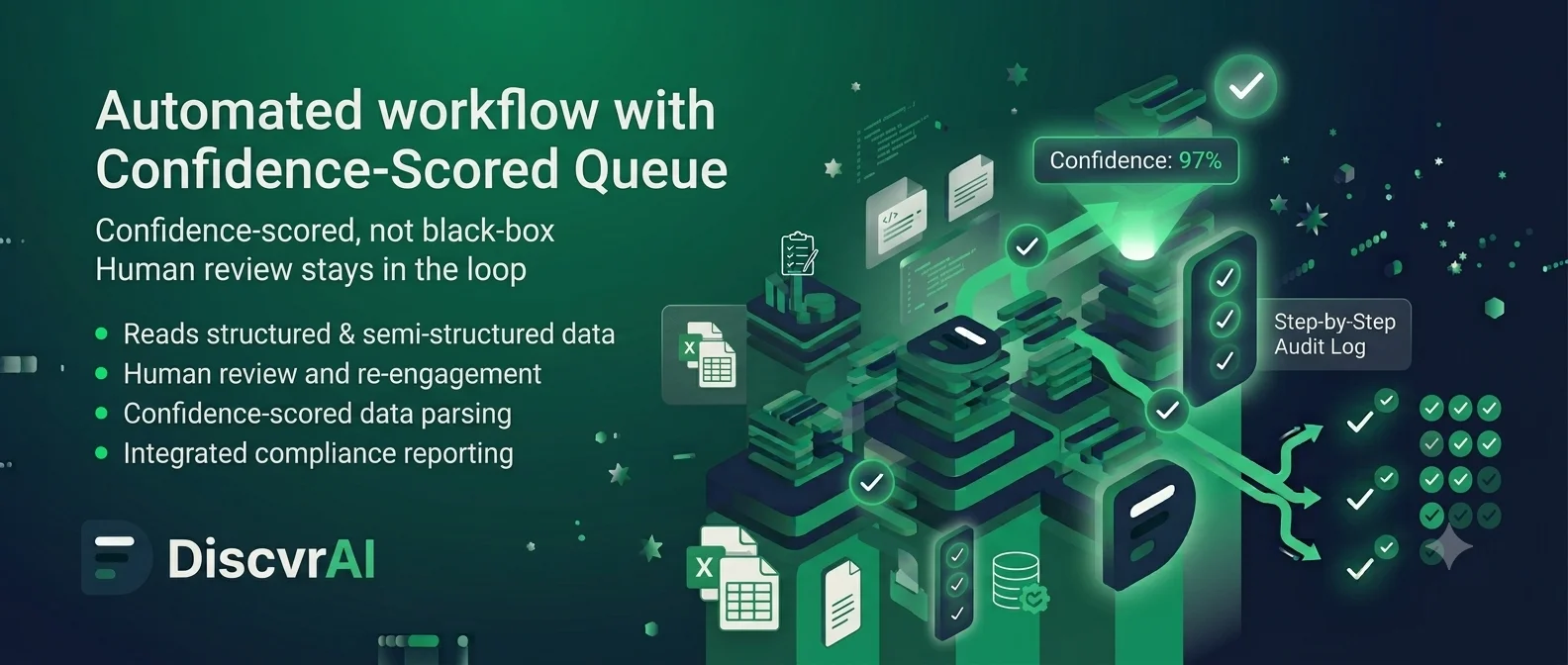
Turn high-volume manual review into an automated, confidence-scored queue.
For cash management companies, banks, BPOs and payment processors running document-heavy manual queues.
Who it's for
Cash management companies, banks, BPOs and payment processors running high-volume, document- and evidence-heavy manual queues, the queue/case-management teams doing this work day to day report into COOs and Heads of Operations.
Typically championed by
The shift
High-volume manual document and evidence review with no systematic way to tell which cases are safe to automate and which genuinely need a human decision, so every case gets manual treatment by default.
A large share of manual workload gets reclassified as automation-ready or assisted-review, so the operations team focuses on genuine exceptions and final decisions rather than evidence reading.
How it works
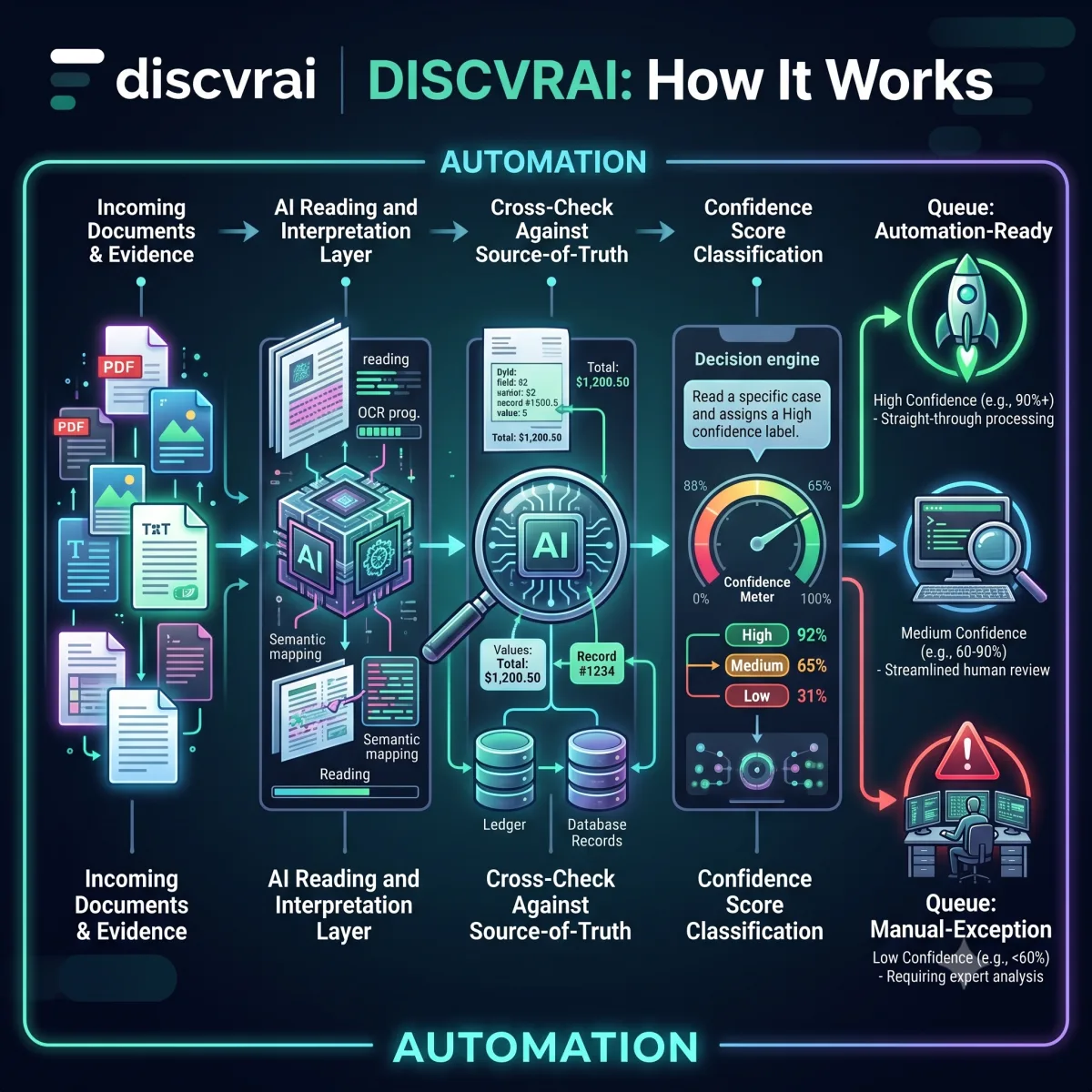
An AI layer that reads and interprets documents and evidence, cross-checks them against source-of-truth records, and classifies each case with a confidence score, automation-ready, assisted-review, or manual-exception, before routing it to the right queue.
- Step 1
Read & Interpret
An AI layer reads and interprets documents and evidence, structured or semi-structured.
- Step 2
Cross-Check Against Source of Truth
Evidence is cross-checked against your source-of-truth records.
- Step 3
Confidence Scoring
Each case is classified with a confidence score, automation-ready, assisted-review, or manual-exception.
- Step 4
Route to the Right Queue
Cases move to the right queue based on that score; human review stays in the loop above the threshold you set.
Trust & governance
Human-in-the-loop by design
Nothing is auto-closed without a defined threshold; human review remains in the loop above it.
Confidence-scored and auditable
Every classification carries a confidence score and reasoning, not a black-box decision.
You set the threshold
Only cases above a threshold your team defines are auto-processed, the bar for automation is yours to set.
Tiered routing, not blanket automation
Automation-ready cases proceed without per-case review by default; assisted-review and manual-exception cases are always routed to a person before closure.
Built for real-world documents
Reads structured and semi-structured documents, logs, images and reports, including sources that are password-protected or inconsistently formatted.
Refocuses your team, doesn't replace it
Reclassifies work so your operations team spends time on genuine exceptions and final decisions, not routine evidence reading.
Agents deployed for this module
These are the named agents we deploy when Workflow Automation is the production module for your business problem. Each agent is a job we deploy for you. You do not buy software and install it yourself.
See all agents we deployRelated case studies
A leading cash management company ran high-volume manual evidence review across its case queue.
A large share of manual workload was reclassified as automation-ready or assisted-review.
A BPO servicing insurance claims had no systematic way to tell which claims needed a human decision.
The claims team now spends its time on genuine exceptions instead of routine evidence reading.
A payments processor's reconciliation queue grew manually with transaction volume.
Reconciliation queues are now triaged automatically, with only genuine exceptions reaching an analyst.
You might also need
Related insights
Agentic AI Will Fail Without Human-in-the-Loop Governance
The real question isn't whether to deploy autonomous AI agents, but how to govern them. A staged model, detect, explain, recommend, approve, execute, audit, keeps humans in control of consequential decisions while still letting AI accelerate routine ones.
Read article · 7 min →Customer OperationsWhy Customer Support Automation Is No Longer About Chatbots
The real value in support automation isn't a better front-end chatbot, it's automating the back-office workflow behind it: document reading, evidence validation, routing and approvals. That's what actually moves resolution time, cost and compliance.
Read article · 5 min →BFSIThe Next Cost Takeout Opportunity in BFSI: AI for Back-Office Case Operations
BFSI's AI focus has skewed toward customer-facing chatbots, leaving the bigger cost opportunity, back-office case operations, largely untouched. AI should prepare the case; humans should still apply judgement.
Read article · 6 min →Get in touch
Frequently asked questions
No, it reclassifies work so your team spends its time on genuine exceptions instead of routine evidence reading.
Each case gets a confidence score based on cross-checking the evidence against your source-of-truth records; only cases above a threshold you set are auto-processed.
Structured and semi-structured documents, logs, images and reports, including sources that are password-protected or inconsistently formatted.
Yes, those are specialised applications of this same evidence-reading and confidence-scoring engine, configured for ATM disputes and accounts payable respectively.
They're classified as assisted-review or manual-exception and routed to a person, arriving with the relevant evidence already cross-referenced.
Automation-ready cases proceed without a per-case manual review by default; assisted-review and manual-exception cases are always routed to a person before closure.
It's built for high-volume queues, tell us your approximate monthly case volume and we'll scope accordingly.
Cash management companies, banks, BPOs and payment processors running document- and evidence-heavy manual queues.